 puh.gg
Templates
Use a design made by the community in one click, or share your own.
Use a template
Templates
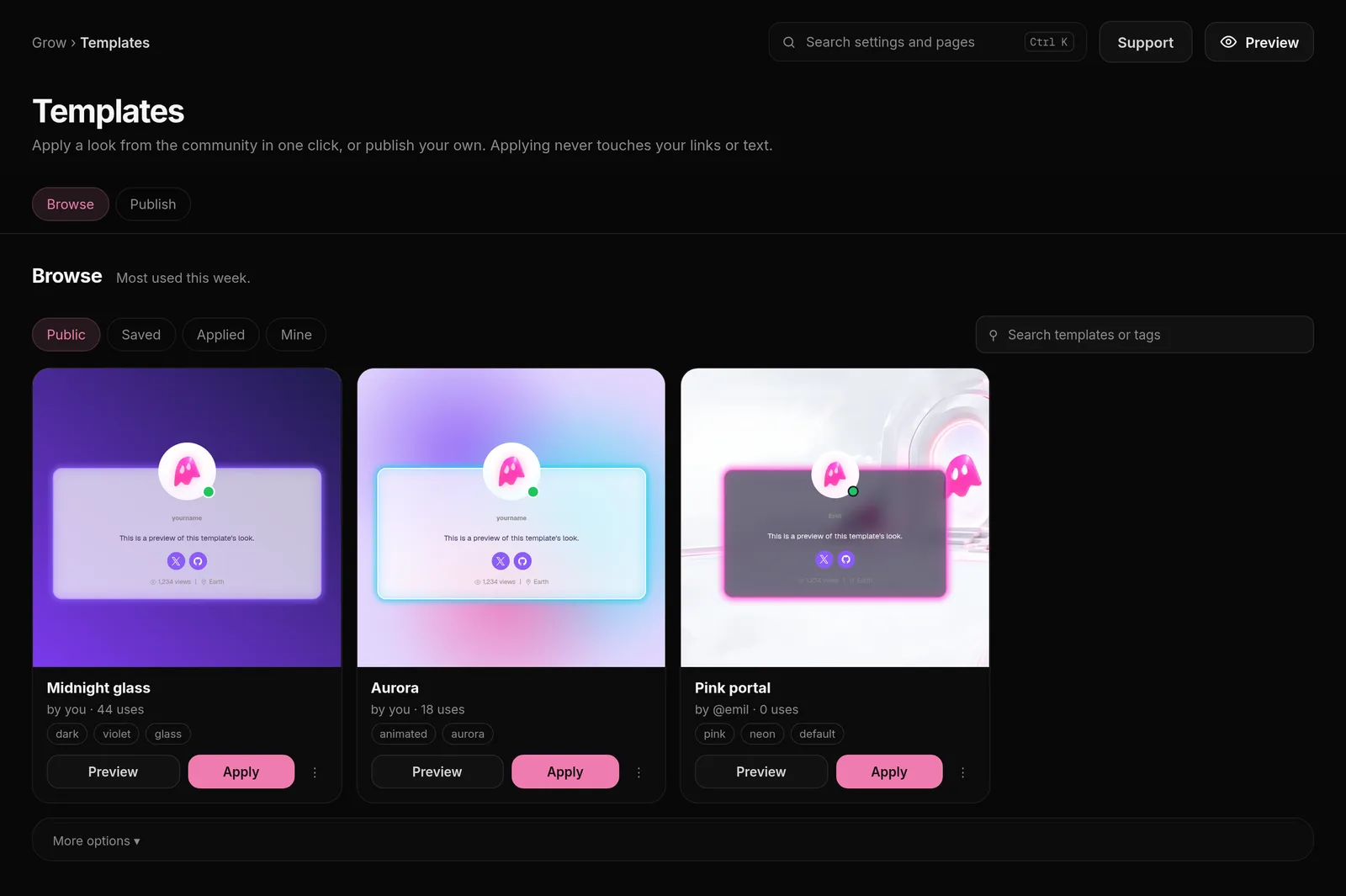
- Open Templates in the dashboard menu.
- Browse the designs and open one to see it.
- Click Apply. Your active profile gets the whole design: look, sections, widgets, backgrounds and music.
Your username, display name, profile picture, bio and the addresses behind your link buttons stay yours.
Some templates are marked Premium and need Premium to apply. Other templates work for everyone; without Premium they are applied without their Premium parts.
Find the right template
| Tab or filter | What it shows |
|---|---|
| Public | Every public template from the community. |
| Saved | Templates you saved from a card's menu. |
| Applied | Templates you applied before. |
| Mine | Templates you published yourself. |
| Show (More options) | Free and Premium, Free only or Premium only. |
| Sort (More options) | Most used this week, Most used of all time, Newest first, Top rated or Name A to Z. |
Search by name or tag. Rate a template with 1 to 5 stars from its card's menu after you tried it; the ratings decide Top rated.
Share your design
Under Publish your current design, give it a name, description and up to 5 tags. Public shows it to everyone in Templates; Private only works for people you send the link to. Your backgrounds and music are saved with it.
Your private things are never part of a template: username, display name, profile picture, bio, link addresses and tab title stay with you. You can delete a template you published at any time with Delete in its card's menu under Mine.