 puh.gg
Comments, likes, views and tooltips
Turn comments and likes on or off, and choose what visitors see when they hover things.
Profile → Page details
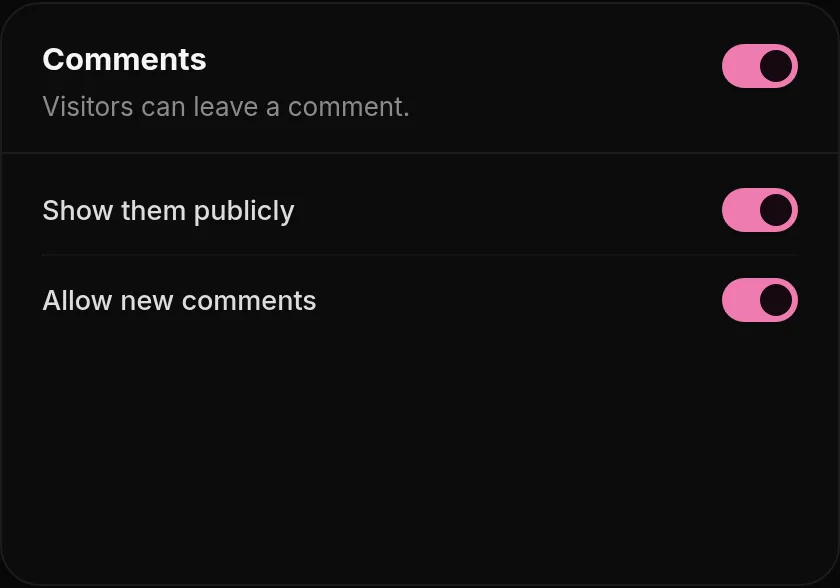
All of these are in Profile, Page details.
| Setting | What it does |
|---|---|
| Comments | Show comments publicly and allow new ones. You can delete any comment on your page. |
| Likes and dislikes | Signed-in visitors can like or dislike your page. Likes count toward the like badges. |
| Views and dates | The view counter, with an optional count-up animation and its position, and the join date. |
| Tooltips | Choose what shows on hover: badge names, your UID on your username, link titles, your full location and more. |
Visitors can also copy your UID by clicking your profile picture.
How comments work
- Visitors need to be signed in to comment. Nobody can comment on their own page.
- A comment can be up to 300 characters. One person can post up to 5 comments on a page within 10 minutes.
- Comments can be sorted by newest or oldest.
- The author and the page owner can delete a comment, right on your page.
- Turn off Allow new comments to keep the existing comments visible but stop new ones. Turn off Show comments publicly to hide them all.
How likes work
Each signed-in visitor has one reaction: a like or a dislike. Clicking the same button again takes it back, the other one switches it. Nobody can react to their own page.
Rude comments. Delete them, and report the person at puh.gg/report if it happens again. See Report a profile.
Was this helpful?Updated Oct 22, 2026