 puh.gg
A quick tour of the dashboard
Where to find everything: your page, growth, the shop, the image host and your account.
The menu on the left
| Group | Pages |
|---|---|
| Profile switcher | Switch between your profiles (2 free, 5 with Premium). |
| Home | How your page is doing this week and what is still to do. |
| Your page | Profile, Links, Look, Background, Effects, Music & media, Widgets & sections, Sharing & domain. |
| Grow | Analytics, Badges, Templates, and the Ghost hunt while it runs. |
| Shop | Premium & shop for the Premium features, Wallet & billing for your balance, the shop, your items and payments. |
| Tools | Image host: upload files, pastes, short links and ShareX keys. |
| Account | Settings (sign-in, connections, preferences, your data) and Support. |
Your account sits at the bottom of the menu: Copy my link copies your address and View my page opens it. On a phone the menu opens with the menu button at the top.
The home page
Home
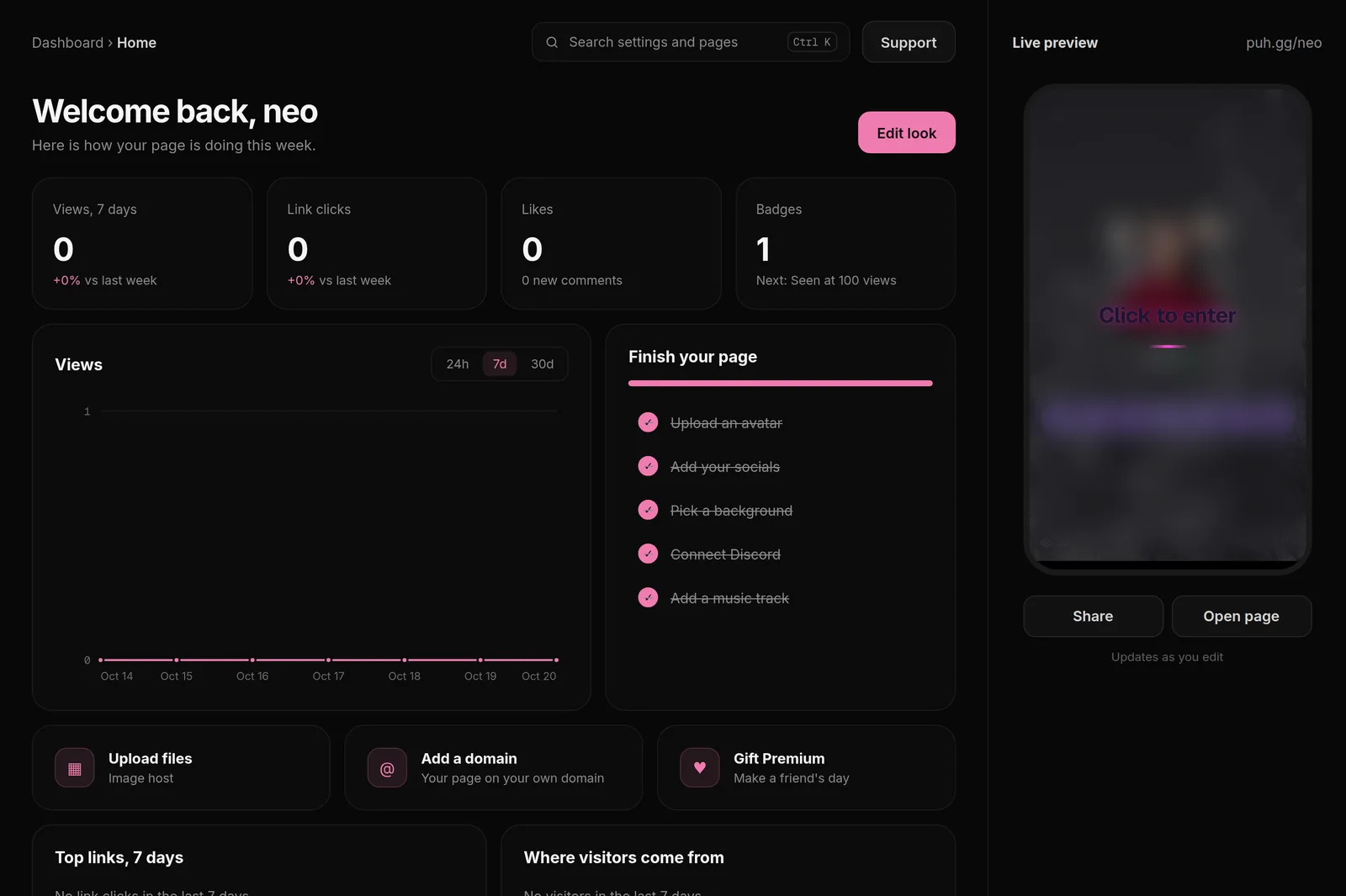
Home is the first page you see. From top to bottom:
- Four tiles: views and link clicks of the last 7 days compared with the week before, your likes with new comments, and your badges with the next one to get.
- Views: a chart for the last 24 hours, 7 days or 30 days.
- Finish your page: a checklist (avatar, social links, background, Discord, a song) with a bar that fills up.
- Quick links to the image host, your own domain and gifting Premium.
- Top links, 7 days and Where visitors come from.
The bar at the top
- Where you are, for example Your page › Look.
- Search settings and pages finds any setting. Shortcut: Ctrl K (Cmd K on a Mac).
- Support opens your tickets and the help center.
- Preview shows your page next to the settings on every page that changes it.
Find a setting fast
Press Ctrl K (Cmd K on a Mac) or click the search field and type what you are looking for, for example cursor, glow or lyrics. Pick a result and the dashboard opens the right page at the right card.
Share your page
Copy my link in the account menu at the bottom of the sidebar copies your link. View my page opens it in a new tab.
Was this helpful?Updated Oct 22, 2026